
LEGO Color Lists Differ Across Catalogs
LEGO color numbers, BrickLink IDs, Rebrickable IDs, Brick Owl identifiers, and LDraw codes belong to separate namespaces.
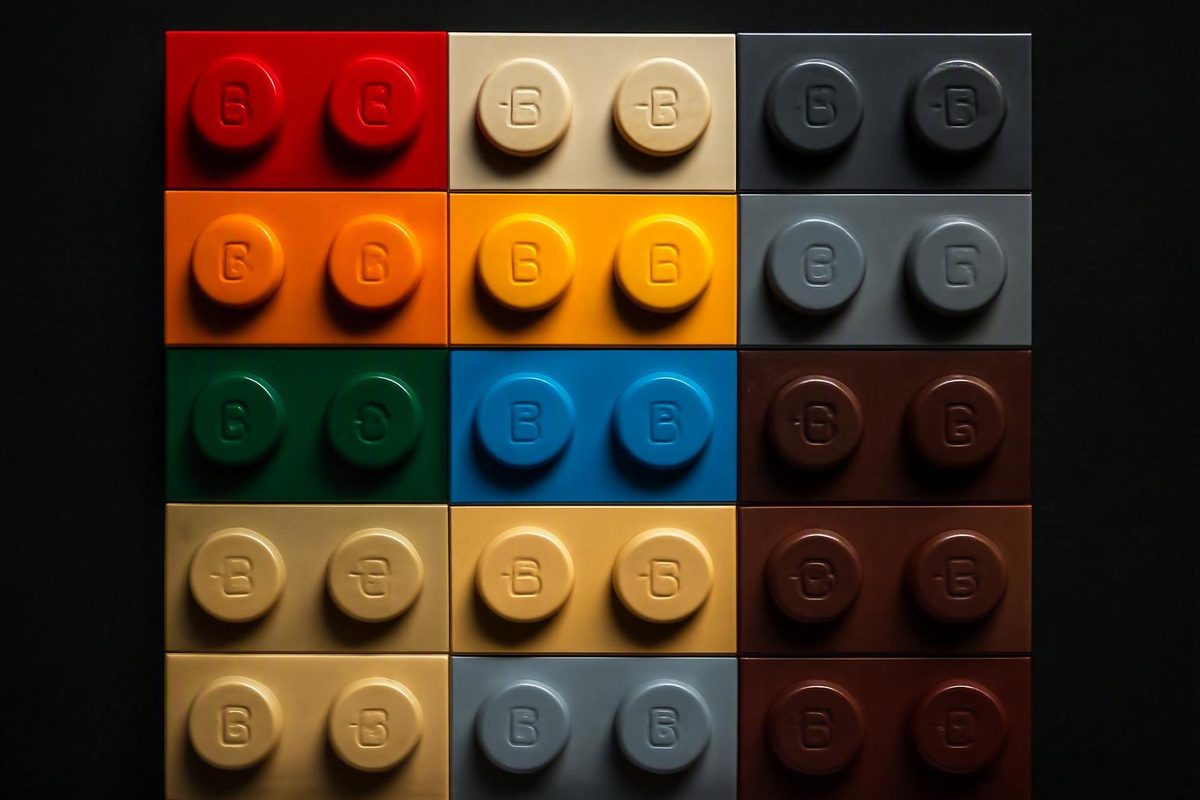
A practical LEGO color list needs more than swatches. Builders, collectors, resellers, and inventory managers must know which naming system a color belongs to, whether it is opaque or transparent, and whether a number comes from LEGO terminology, BrickLink, Rebrickable, Brick Owl, LDraw, or another catalog.
Different catalogs can map corresponding entries under different labels. LEGO-style Brick Yellow, for example, is commonly cross-referenced to BrickLink Tan. That correspondence is useful for shopping and inventory translation, but it does not prove that every marketplace mapping represents an identical physical formulation across all production periods.
The safest approach is to preserve each catalog’s name and identifier separately, then record finish, era, and mapping status as additional fields.
What this LEGO color reference includes—and what it cannot establish
No supplied source establishes a complete, current, official LEGO master color list for 2026. This article is a selected cross-reference, not an exhaustive inventory or proof that every listed color is currently manufactured, stocked, or available for every element.
A historically useful source is an archived LEGO color compilation preserved on May 9, 2008. It says its names and numbers were compiled from a color list provided to Peeron.com, supplemented by photographs of numbered tiles from Mark Papenfuss, Sid Dinsay, and Huw Millington. It remains a third-party historical compilation rather than a current LEGO-hosted standard.
The supplied archive extract is incomplete. Some conversion fields are blank, and labels preserve apparent spelling or formatting anomalies such as “Cobolt Blue.” A blank means that the source provides no value—not that the value is zero.
The modern Isodomos site should not be treated as maintaining current LEGO expertise. Its stated scope covers masonry units, dimensions, bonds, and mortars, and the supplied current pages contain no LEGO color reference. The archived page is useful as historical evidence, but it is separate from the modern site’s stated subject.
BrickLink, Rebrickable, Brick Owl, Brickipedia, Peeron, and LDraw are also third-party resources. A marketplace may consolidate several formulations under one sellable color, while another database may retain separate historical or product-specific records.
Methodology note: This reference preserves LEGO-style names and numbers separately from third-party aliases and IDs. The tables include selected entries supported by the supplied evidence. They do not establish complete historical coverage, present production status, store availability, or exact physical equivalence between every mapped entry. Dynamic catalog information was last checked against the supplied records on August 7, 2026.
Selected solid LEGO colors: names, numbers, and familiar aliases
The table below uses the community-maintained Brickipedia solid-color list for the LEGO-style names and numbers. The source-note column identifies where a third-party crosswalk supports an alias. A dash means that this reference is not assigning a separate marketplace alias; it does not mean that no other catalog has one.
| LEGO-style name | LEGO color no. | Supported common alias or crosswalk | Category | Source note |
|---|---|---|---|---|
| White | 1 | White | Solid | Brickipedia name/ID; BrickLink same-name mapping |
| Brick Yellow | 5 | Tan | Solid | Brickipedia name/ID; community translation crosswalk |
| Bright Red | 21 | Red | Solid | Brickipedia name/ID; enthusiast terminology |
| Bright Blue | 23 | Blue | Solid | Brickipedia name/ID; enthusiast terminology |
| Bright Yellow | 24 | — | Solid | Brickipedia name/ID |
| Black | 26 | Black | Solid | Brickipedia name/ID; Brick Owl same-name mapping |
| Dark Green | 28 | — | Solid | Brickipedia name/ID |
| Bright Green | 37 | Bright Green | Solid | Brickipedia name/ID; Brick Owl same-name mapping |
| Dark Orange | 38 | — | Solid | Brickipedia name/ID |
| Medium Blue | 102 | — | Solid | Brickipedia name/ID |
| Bright Orange | 106 | — | Solid | Brickipedia name/ID |
| Sand Blue | 135 | — | Solid | Brickipedia name/ID |
| Sand Yellow | 138 | Dark Tan | Solid | Brickipedia name/ID; community translation crosswalk |
| Earth Blue | 140 | Dark Blue | Solid | Brickipedia name/ID; Brick Owl mapping |
| Earth Green | 141 | Dark Green | Solid | Brickipedia name/ID; enthusiast crosswalk |
| Sand Green | 151 | — | Solid | Brickipedia name/ID |
| Dark Red | 154 | Dark Red | Solid | Brickipedia name/ID; Rebrickable and BrickLink mapping |
| Reddish Brown | 192 | — | Solid | Brickipedia name/ID |
| Medium Stone Grey | 194 | Light Bluish Gray | Solid | Brickipedia name/ID; Brick Owl mapping |
| Dark Stone Grey | 199 | Dark Bluish Gray | Solid | Brickipedia name/ID; Brick Owl mapping |
| Light Stone Grey | 208 | Very Light Bluish Gray | Solid | Brickipedia name/ID; BrickLink mapping |
| Bright Purple | 221 | Dark Pink | Solid | Brickipedia name/ID; Brick Owl mapping |
| Light Purple | 222 | Bright Pink | Solid | Brickipedia name/ID; Brick Owl mapping |
| Dark Purple | 268 | — | Solid | Brickipedia name/ID |
| Light Nougat | 283 | Light Flesh / Light Nougat | Solid | Brickipedia name/ID; Brick Owl crosswalk |
| Medium Nougat | 312 | Medium Dark Flesh / Medium Nougat | Solid | Brickipedia name/ID; Brick Owl crosswalk |
| Dark Azur | 321 | — | Solid | Brickipedia name/ID |
| Medium Azur | 322 | — | Solid | Brickipedia name/ID |
| Aqua | 323 | — | Solid | Brickipedia name/ID |
| Medium Lavender | 324 | Medium Lavender | Solid | Brickipedia name/ID; Rebrickable same-name record |
| Lavender | 325 | Lavender | Solid | Brickipedia name/ID; Rebrickable same-name record |
| Olive Green | 330 | — | Solid | Brickipedia name/ID |
| Vibrant Coral | 353 | Coral | Solid | Brickipedia name/ID; Rebrickable mapping |
| Vibrant Yellow | 368 | — | Solid | Brickipedia name/ID |
| Reddish Orange | 402 | — | Solid | Brickipedia name/ID |
The most useful supported translations for everyday purchasing are:
- Brick Yellow 5 → Tan
- Sand Yellow 138 → Dark Tan
- Earth Blue 140 → Dark Blue
- Earth Green 141 → Dark Green
- Medium Stone Grey 194 → Light Bluish Gray
- Dark Stone Grey 199 → Dark Bluish Gray
The Brick Yellow/Tan and Sand Yellow/Dark Tan pairings are documented in a community translation table based on LDD Manager. Treat them as catalog crosswalks, not formulation-level proof. If an inventory serves both LEGO-oriented systems and marketplaces, retain both names.
Nougat terminology requires similar care. In the Brick Owl cross-catalog table, Flesh maps to LEGO-style Nougat 18, Light Flesh to Light Nougat 283, and Medium Dark Flesh to Medium Nougat 312. The same table contains repeated, blank, and many-to-one mappings, illustrating why source-specific labels should not be overwritten.
None of these rows proves that a color is currently active, available through Pick a Brick, or manufactured for every element. Color identity, production status, part coverage, stock, rarity, and price are separate attributes.
Transparent, fluorescent, metallic, glow, and other special colors
Transparent materials and specialty finishes should not be mixed indiscriminately into an ordinary solid-color table.
The following selected names and numbers come from Brickipedia’s community-maintained classification. That classification is useful for navigation, but it is not an official current LEGO taxonomy.
Selected transparent and fluorescent entries
| LEGO-style name | LEGO color no. | Type |
|---|---|---|
| Transparent | 40 | Clear transparent |
| Transparent Red | 41 | Transparent |
| Transparent Light Blue | 42 | Transparent |
| Transparent Blue | 43 | Transparent |
| Transparent Yellow | 44 | Transparent |
| Transparent Fluorescent Reddish Orange | 47 | Transparent fluorescent |
| Transparent Green | 48 | Transparent |
| Transparent Fluorescent Green | 49 | Transparent fluorescent |
| Transparent Brown | 111 | Transparent |
| Transparent Fluorescent Blue | 143 | Transparent fluorescent |
| Transparent Bright Orange | 182 | Transparent |
| Transparent Bright Yellowish Green | 227 | Transparent |
| Transparent Light Blue With Glitter | 302 | Transparent glitter |
| Transparent Bright Green | 311 | Transparent |
| Transparent Brown Opal | 363 | Transparent opal |
| Transparent Purple Opal | 365 | Transparent opal |
| Transparent Black | 375 | Transparent |
Selected metallic, glow, and coated entries
| LEGO-style name | LEGO color no. | Type |
|---|---|---|
| Silver | 131 | Special silver |
| Metallic Dark Grey | 148 | Metallic |
| Phosphorescent Green | 294 | Glow or phosphorescent |
| Warm Gold | 297 | Gold-colored specialty finish |
| Metalized Silver | 309 | Metalized or coated |
| Metalized Gold | 310 | Metalized or coated |
| Silver Metallic | 315 | Metallic |
| Titanium Metallic | 316 | Metallic |
Detailed databases may also contain pearl, chrome, glitter, opal, glow-in-the-dark, speckled, marbled, Modulex, Duplo, Fabuland, Bionicle, and other historical or product-specific ranges. Some records describe a base hue; others combine color with a coating, suspended particles, translucency, or a specialized material.
For that reason, a database field called only color is often inadequate. A stronger record separates:
- base or catalog color;
- opacity;
- finish;
- coating or metalization;
- glitter or opal effect;
- product system;
- source catalog;
- production era;
- mapping confidence.
RGB and hex values cannot encode transparency, glitter, chrome, pearl, or opalescence. The same digital swatch could be assigned to opaque, pearl, and transparent records even though the physical elements look very different.
LEGO IDs, BrickLink IDs, and Rebrickable IDs are different systems
An identifier namespace is the system in which a number has meaning. LEGO color numbers, BrickLink IDs, Rebrickable IDs, Brick Owl identifiers, and LDraw codes belong to separate namespaces. A number without its source label is therefore ambiguous.
White is a deceptively simple example. BrickLink uses White ID 1 and maps it to LEGO White 1.
Very Light Gray demonstrates the problem more clearly. BrickLink uses ID 49 for Very Light Gray while mapping it to LEGO Light Grey 103. BrickLink also uses 85 for Dark Bluish Gray and 86 for Light Bluish Gray, corresponding to LEGO-style Dark Stone Grey 199 and Medium Stone Grey 194, respectively, in the BrickLink Color Guide.
Rebrickable adds another namespace. Its Dark Red record uses Rebrickable ID 320, maps to LEGO color 154, and supplies BrickLink ID 59. One row can therefore contain three correct numbers, each valid only in its own system. Rebrickable also records approximate RGB values, part and set associations, active-year fields, and selected LDraw and Brick Owl mappings in its cross-catalog color database.
A safe database schema might look like this:
| Field | Example for Dark Red |
|---|---|
lego_name |
Dark Red |
lego_id |
154 |
bricklink_name |
Dark Red |
bricklink_id |
59 |
rebrickable_name |
Dark Red |
rebrickable_id |
320 |
brickowl_id |
Source-specific value, if supplied |
ldraw_code |
Source-specific value, if supplied |
finish |
Solid |
mapping_status |
Mapped |
source_checked |
Retrieval date and catalog |
Never compress these fields into a generic color_id column. For human-readable exports, explicit prefixes such as LEGO-154, BL-59, and RB-320 reduce ambiguity.
Crosswalks are not always one-to-one. A marketplace color may consolidate multiple LEGO names, IDs, or formulations for practical buying and selling. Other rows may have no mapping. A blank cell means unavailable or unmapped information, not color zero.
Rebrickable also offers database downloads and API access for programmatic use. Those records remain third-party data and should retain their Rebrickable field names, retrieval dates, and mapping provenance.
The old gray and bluish gray transition
“Gray” is one of the riskiest words to use alone when buying replacement LEGO pieces. It can describe an older warm gray, a newer cooler gray, a very pale specialty gray, or simply a broad shopping family.
New Elementary’s color-history reference describes these replacements:
| Earlier LEGO-style color | Common catalog name | Replacement LEGO-style color | Common catalog name |
|---|---|---|---|
| Grey 2 | Light Gray | Medium Stone Grey 194 | Light Bluish Gray |
| Dark Grey 27 | Dark Gray / Old Dark Gray | Dark Stone Grey 199 | Dark Bluish Gray |
The older colors tend to look warmer, with a more yellowish or brownish cast, while their replacements appear cooler. Enthusiasts consequently use bluish gray or bley to distinguish the newer shades.
Very Light Gray and Very Light Bluish Gray are also separate BrickLink entries. BrickLink records Very Light Gray with a 1997–2004 timeline and Very Light Bluish Gray with a 2004–2013 timeline. These are third-party catalog ranges rather than primary manufacturing documentation, so they are best treated as era clues rather than universal production boundaries.
Explanations for the wider palette revision vary. Cost cutting appears in some fan accounts, but the supplied evidence does not establish it as the definitive cause. A secondary history quotes former fan-group liaison Jake McKee describing the objective as a sustainable, consistent long-term palette rather than savings from recycling or copying competitors.
For practical buying, never order a replacement using only “gray.” Record at least:
- old or new color family;
- light, dark, or very light shade;
- LEGO-style name and number, if known;
- marketplace name and ID;
- probable set or production era.
When restoring a model, compare the replacement with a confirmed piece from the same set where possible. Even the correct catalog color may show aging or manufacturing variation.
RGB, hex, CMYK, Pantone, and screen swatches
Digital and print values cannot reproduce the exact physical appearance of a LEGO element under every condition.
The archived 2008 compilation provides these historical conversion references:
| LEGO-style color | No. | RGB | CMYK | Pantone |
|---|---|---|---|---|
| White | 1 | 242 / 243 / 242 | 5 / 3 / 4 / 0 | CoolGrey 1 C |
| Bright Red | 21 | 196 / 40 / 27 | 0 / 100 / 100 / 0 | 032 C |
| Bright Blue | 23 | 13 / 105 / 171 | 100 / 47 / 0 / 0 | 293 C |
| Bright Yellow | 24 | 245 / 205 / 47 | 0 / 19 / 100 / 0 | 116 C |
| Black | 26 | 27 / 42 / 52 | 60 / 0 / 0 / 100 | Process Black C |
These figures come from the archived third-party compilation. The page does not explain how the plastic was measured or how the conversions were produced, so the values should not be treated as current material specifications.
Rebrickable supplies its own approximate catalog hex values:
| Rebrickable color | Hex |
|---|---|
| Dark Red | #720E0F |
| Coral | #FF698F |
| Bright Pink | #E4ADC8 |
| Dark Pink | #C870A0 |
| Magenta | #923978 |
| Medium Lavender | #AC78BA |
| Lavender | #E1D5ED |
These are Rebrickable approximations, not official plastic formulas. Its records also show that distinct catalog colors can share the same RGB value. A hex code is therefore not a unique physical identifier.
A piece or photograph can look different because of:
- daylight versus warm or cool artificial light;
- camera exposure and white balance;
- monitor calibration and display mode;
- surface gloss, wear, or scratches;
- transparent, pearl, glitter, chrome, or opal finishes;
- plastic thickness and element geometry;
- aging, yellowing, and ultraviolet exposure;
- dirt or smoke residue;
- pigment and manufacturing variation.
Digital values remain useful for mockups, storage labels, interface filters, spreadsheets, and approximate on-screen organization. They should not be the sole basis for authenticating a rare piece, distinguishing old gray from bluish gray, or purchasing a subtle replacement shade.
How to identify the color of an unknown LEGO element
The most reliable identification combines catalog constraints with a known physical sample. Do not begin by selecting whichever online swatch looks closest. First narrow down which colors are plausible for that specific element and era.
-
Locate the design or part number. Inspect the underside or interior for molded markings. Search the likely design number in more than one catalog because elements can have related or revised molds.
-
Review the colors recorded for that design. A part-color list can narrow the candidates, but absence from one third-party catalog is not conclusive proof that a color never existed. Confirm the result in a second catalog or set inventory.
-
Check the original set inventory, if known. A set number provides stronger context than a loose photograph. Verify that the element, color, and approximate production period make sense together.
-
Compare the likely production era. A piece from an early-1990s set should not automatically be assigned a color introduced substantially later. Era is especially useful when distinguishing old gray, old brown, and their replacements.
-
Classify the material and finish. Determine whether the piece is opaque, transparent, fluorescent, glow-in-the-dark, metallic, pearl, glitter, opal, chrome-like, or coated before comparing hue.
-
Compare it with confirmed physical references. Use known examples of the nearest candidate colors.
Molded numbers normally identify a design, mold, or mold position rather than color. In one community discussion about identifying unknown colors, contributors interpreted 3710 as the design or part ID, 58 as a mold number, and 2 as a position within the mold. That example is community guidance, not an official decoding rule for every element.
A cautious verification sequence is:
- search the design ID on BrickLink;
- review the plausible colors recorded for that design;
- inspect the inventory of the suspected source set;
- check LEGO Replacement Parts where the set and pictured component are available;
- compare the result with Rebrickable, Brick Owl, or another catalog;
- retain both names when catalogs use different terminology.
As an editorial best practice, photograph uncertain pieces in neutral daylight or controlled lighting, against a white or neutral background, with confirmed reference pieces in the same frame. Avoid mixed indoor lighting, which can make warm and cool grays especially difficult to distinguish.
When evidence conflicts, record the conclusion as tentative. For example:
Likely Dark Stone Grey 199 / BrickLink Dark Bluish Gray, based on set inventory and era; physical comparison pending.
That is more reliable than forcing certainty from an uncontrolled photograph.
Which color resource should you use?
No single resource serves every purpose. The best choice depends on whether you are shopping, translating terminology, analyzing a collection, or confirming a physical shade.
LEGO’s official US shop lets users browse Pick a Brick through 12 broad families: Black, Blue, Brown, Green, Grey, Lilac, Metallic, Orange, Purple, Red, White, and Yellow. These Pick a Brick color families are shopping filters—not a complete list of individual colors, a universal identifier standard, or proof that every related part is in stock.
BrickLink is useful for buying and selling. It supplies marketplace names, BrickLink color IDs, family and status filters, selected LEGO mappings, and catalog timelines. Its guide displayed 214 colors when checked against the supplied record on August 7, 2026. That is a dynamic third-party catalog total, not the number of colors currently manufactured by LEGO.
Rebrickable is useful for structured analysis. Its records associate colors with parts and sets, provide approximate RGB values, and map selected entries across LEGO, LDraw, BrickLink, and Brick Owl. Its downloads and API support repeatable data workflows, provided the resulting fields remain labeled as Rebrickable data.
Brick Owl is particularly useful for translation among catalogs. Its table places Brick Owl, LEGO, LDraw, Rebrickable, and BrickLink fields side by side. Some mappings are blank, repeated, or many-to-one, so the table should be treated as a translation aid rather than proof that every mapped formulation is physically identical.
The archived Isodomos compilation is useful for historical names and numbers, selected RGB/CMYK/Pantone references, and photographs of numbered tiles. It is not a current standard and cannot establish 2026 production or availability.
| Need | Best starting resource | Main limitation |
|---|---|---|
| Browse pieces in the official shop | LEGO Pick a Brick | Broad shopping filters, not a master palette |
| Buy or sell using marketplace terminology | BrickLink | Third-party names, IDs, totals, and timelines |
| Analyze sets, parts, or a collection | Rebrickable | Third-party mappings and approximate swatches |
| Translate among catalog systems | Brick Owl | Blank, repeated, and consolidated mappings |
| Research historical conversions | Archived Isodomos page | Incomplete 2008 third-party compilation |
| Confirm a subtle physical shade | Known reference pieces | Requires access to verified samples |
Treat a LEGO color as a combination of source-specific name, source-specific ID, finish, era, and physical appearance. These tables can resolve many common names and numbers, but final identification—particularly for old grays, transparent elements, and specialty finishes—should combine catalog cross-checking with a known physical sample.
How many LEGO colors are there?
There is no single dependable answer without defining the source, date, product systems, finishes, and whether retired colors are included. BrickLink’s guide displayed 214 catalog colors when checked against the supplied record on August 7, 2026, but that is a dynamic third-party catalog count rather than the size of LEGO’s active manufacturing palette.
A meaningful count must specify whether it covers current sets, Pick a Brick shopping families, all historical LEGO-assigned colors, marketplace colors, or every transparent and specialty finish.
Is LEGO Brick Yellow the same as BrickLink Tan?
LEGO-style Brick Yellow 5 is commonly mapped to BrickLink Tan, while Sand Yellow 138 is commonly mapped to BrickLink Dark Tan.
Use those pairings as catalog translations rather than proof of universal physical identity across every period or formulation. A well-structured record should preserve the LEGO-style and BrickLink labels in separate fields.
Is Medium Stone Grey the same as Light Bluish Gray?
In the cited cross-catalog mappings, LEGO-style Medium Stone Grey 194 corresponds to BrickLink Light Bluish Gray, whose BrickLink ID is 86.
Do not confuse it with older Grey 2 / Light Gray or with Light Stone Grey 208 / Very Light Bluish Gray. For replacement parts, record the specific name, source catalog, and relevant ID.
Are color codes molded onto LEGO bricks?
Generally, no. Molded markings normally identify the element design, mold, or mold position rather than directly encoding color. Because one mold can produce elements in multiple colors, identification usually depends on possible catalog colors, original set inventory, production era, finish, and comparison with confirmed pieces.
Where can I download LEGO color data or access it through an API?
Rebrickable provides downloadable database files and API access for its structured records. Its color data can include Rebrickable IDs, names, approximate RGB values, part and set associations, active-year fields, and selected mappings to LEGO, LDraw, BrickLink, and Brick Owl.
Keep downloaded data source-labeled and versioned. Rebrickable identifiers and mappings are third-party fields and are not interchangeable with LEGO or BrickLink identifiers.